
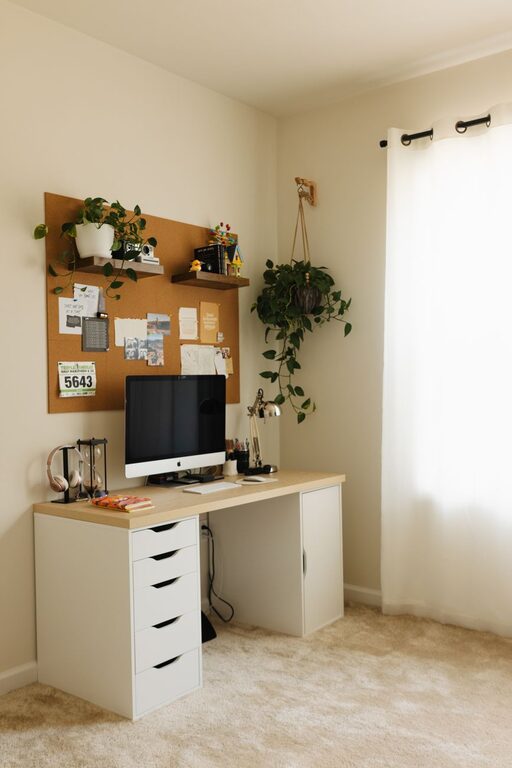
Creating a home office that is both cozy and productive can greatly enhance your work-from-home experience. When your workspace is inviting and well-organized, it encourages focus and creativity, making even the longest workdays more manageable. Whether you have a dedicated room or just a small corner, here are some helpful tips to design a home office that supports your best work.
Choose the Right Location
Finding the optimal spot for your home office is the first step. Ideally, select a quiet area with minimal distractions. Natural light is a big plus, as it helps reduce eye strain and improves mood. If natural light isn’t an option, be sure to invest in good quality artificial lighting.
Consider these factors:
– Away from heavy foot traffic
– Near a window, if possible
– Close to power outlets for your devices
– Room for essential office furniture and storage
Invest in Comfortable and Functional Furniture
Proper furniture can make a significant difference in your comfort and posture.
Desk
Choose a desk that fits your needs, whether it’s minimal for a laptop or larger for multiple monitors and paperwork. Adjustable desks that allow you to alternate between sitting and standing can also promote better health.
Chair
A well-designed ergonomic chair is crucial. It should provide good lumbar support and be adjustable in height and tilt. Sitting comfortably helps maintain focus and prevents back pain.
Organize Your Workspace Efficiently
Clutter can disrupt your workflow and create stress. Keeping your workspace tidy and organized boosts productivity and peace of mind.
Tips for organization:
– Use shelves and drawers for storage
– Keep only daily essential items on your desk
– Utilize cable organizers to avoid tangled wires
– Invest in desk organizers for stationery and small items
– Regularly declutter to prevent buildup
Personalize Your Space
Adding personal touches makes your office feel welcoming and inspires creativity.
Ideas to personalize:
– Artwork or photos
– Plants for a touch of green and fresh air
– A comfortable rug or cushions to add warmth
– A bulletin board or calendar to stay on track
Control the Temperature and Air Quality
Comfortable temperature and fresh air greatly impact concentration.
– Use a fan, heater, or air conditioner as needed to keep the room temperature pleasant
– Open windows regularly for ventilation
– Consider an air purifier if your space tends to get stuffy
Set Up Your Technology Smartly
Ensure your technology supports a smooth workflow.
– Reliable internet connection
– Quality webcam and microphone for video calls
– Proper lighting for video conferencing (avoid backlighting)
– Mouse, keyboard, and screen height that reduce strain
Create a Routine and Boundaries
Finally, setting clear routines and boundaries helps maintain productivity and work-life balance.
– Define specific work hours and stick to them
– Take regular breaks to rest your eyes and stretch
– Use noise-cancelling headphones if needed to stay focused
– Communicate your workspace boundaries to others at home
Conclusion
Designing a cozy and productive home office doesn’t have to be complicated. By thoughtfully choosing your location, investing in ergonomic furniture, keeping your space organized, and personalizing it, you create an environment that supports your well-being and work efficiency. Small changes can lead to big improvements in how you feel and perform throughout your workday. Take the time to shape your workspace into a place where you can enjoy working every day.